
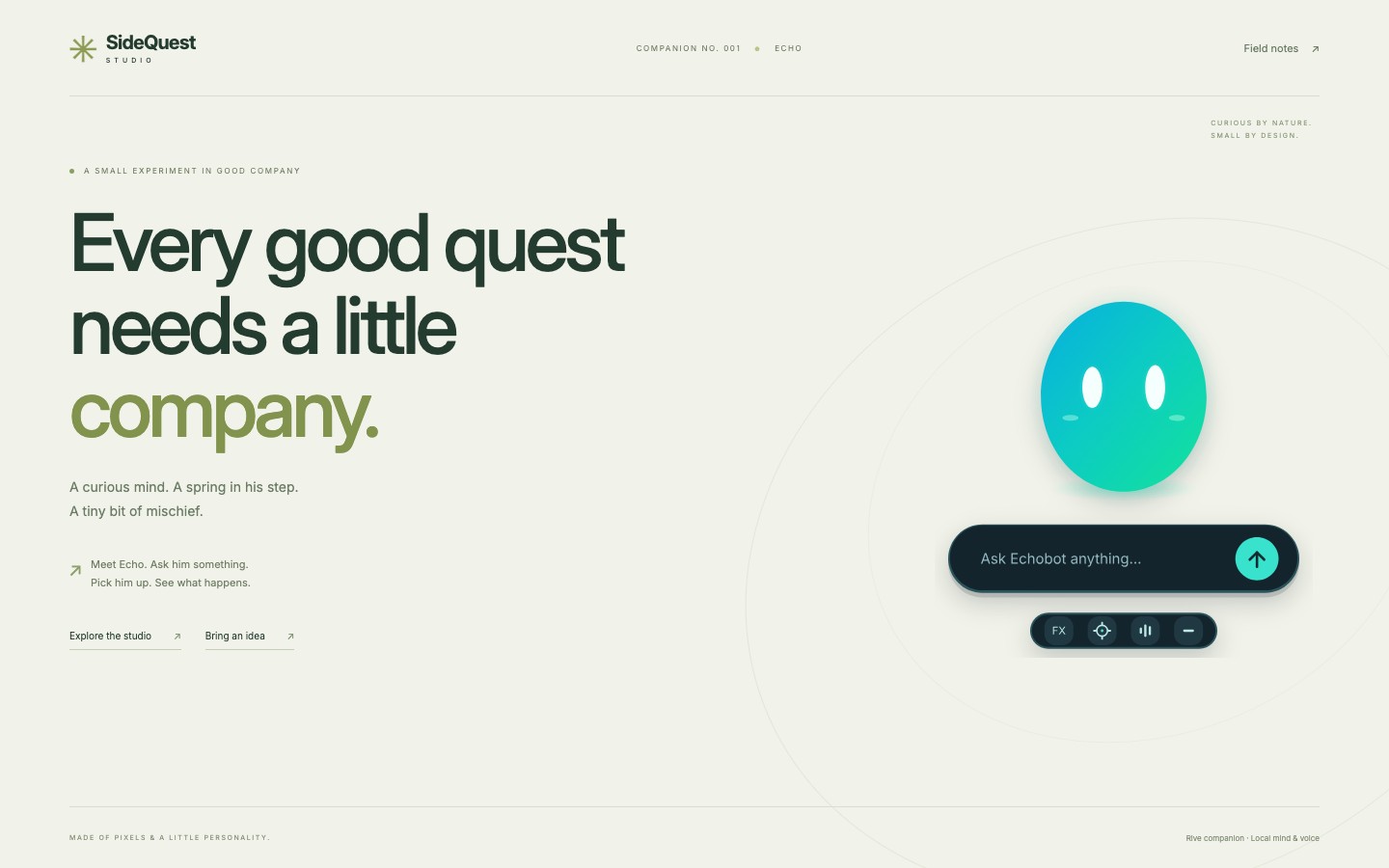
A character needs more than a chat box
EchoBot is the little companion on the SideQuest site. You can ask it a question, try a playful voice, or give it a small command. The interesting part of building it was connecting those actions to a character that could visibly listen, think, and speak.
We wanted the face to feel alive without making it busy. That meant an expressive idle state, a clear response when something happened, and motion connected to actual conversation state. A loop of a talking character would not give us that relationship.
The result is a native Rive character connected to a local conversation and speech pipeline. Each part has a specific job.
Four jobs, four parts
| Part | Its job in EchoBot |
|---|---|
| Rive | Draw and animate the face, expressions, gaze, blinks, gestures, and speaking state. |
| Qwen through Ollama | Write open-ended replies. The deployed conversation model is qwen3:1.7b. |
| Kokoro | Turn reply text into speech. Echo's normal delivery uses the Fenrir voice. |
| Laya | Return structured decisions about mood, topic, and contact intent. |
Laya does not write EchoBot's normal replies or generate its voice. Its role is to help the application choose an appropriate expression or related link, and recognize a narrow contact request. Keeping that distinction clear made it much easier to diagnose problems: an awkward sentence, a delayed voice clip, and a late facial reaction have different causes.
Building the face with Rive CLI
We used a generated, editable Rive scene rather than treating the face as a set of exported pictures. The scene's vector shapes, gradients, animation, and bindings compile into the .riv asset that the browser runs.
The CLI made that work inspectable. We could change the source, verify it, inspect the project, and render a specific state before publishing it. Our checks included commands like these, run from the project root:
rive rive --verify --format=json
rive inspect rive --summary
rive rive --screenshot=output/echobot-speaking.png --data=speaking=1 --advance=1 --fit=contain
The first two commands check the project structure. The screenshot makes the visual result reviewable. We rendered idle, speaking, thinking, sleeping, and gesture states because a scene can compile successfully and still look wrong in one of them.
Rive's documentation explains the broader animation and data-binding model. Our useful habit was simpler: every meaningful visual change needed a native render and a browser check.
One small design rule changed the face
The current face is a cyan-to-mint orb with white capsule eyes. It has no mouth at rest. The mouth appears only while EchoBot is speaking.
That sounds like a drawing decision, but it also needs a runtime rule. The application exposes a separate speaking value to the Rive scene, while audio analysis drives the mouth's movement. Idle expressions can change without accidentally drawing a talking mouth. The character's voice and face are connected to playback, rather than to the mere arrival of generated text.
We kept blinking, gaze, thinking, sleeping, and playful gestures alongside that rule. We also checked the reduced-motion experience so the character remained understandable with less incidental movement.
The surprising source of a slow reply
We already had streaming replies, but EchoBot could still feel slow. The backend opened Qwen's stream and then waited up to 2.2 seconds for Laya before consuming it. The first words could be ready while another decision was still pending.
We changed the coordination. Qwen's output is now consumed immediately. If Laya is ready, the application uses its decision; otherwise its mood and topic information can be applied when available. A narrow contact shortcut is used only when its decision arrives before Qwen begins returning text.
That removed an avoidable wait. It did not make the whole system instant. Model warm-up, inference, sentence chunking, speech generation, playback, and the public network path still contribute to the experience. We tested an intentionally delayed Laya response to check that it could no longer hold back the first text, then checked live replies and valid speech audio.
The practical lesson is to inspect what happens between services. Starting work in parallel does not help if the next step still waits for every result.
Personality should not leak into the next answer
A pirate impression is fun until a straightforward question gets another pirate answer. We separated a temporary performance request from ordinary conversation memory, so an impression lasts for one reply unless the visitor explicitly keeps it enabled.
We also checked the reset path: ask for an impression, ask an ordinary question, and confirm that normal delivery returns. That is a small test, but it protects the character's usefulness as much as any visual polish.
What made the workflow useful
The strongest part of this build was the connection between editable character source, explicit application state, and visible proof. Rive CLI let us inspect the face. The separate reply, speech, and decision roles let us inspect the conversation. Browser checks told us whether those parts worked together on the actual page.
EchoBot is still an experiment. A small local model has limits, and the quality of a generated answer or story varies. The foundation gives us a clearer way to improve it: change a specific behavior, test that behavior, and check the character visitors actually see.